-1.png?width=450&height=150&name=Logo-Square%20(500%20x%20200%20px)-1.png)

Do you need help with your taxes or communicating with the Canada Revenue Agency (CRA)? The fastest...
If you have already filed your tax return in Canada and want to know whether you owe taxes, have instalment payments due, or are expecting a refund, the easiest way is to check directly through your CRA My Account.
In this guide, we explain step-by-step how to view your balance, payments, instalments, and account history on the Canada Revenue Agency (CRA) portal.
What Can You See in CRA My Account?
Inside CRA My Account, you can review:
- Current balance owing
- Tax refunds
- Outstanding instalment payments
- Interest and penalties
- Payment history
- Notices of Assessment (NOA)
- Account transactions and activity
- CRA correspondence
Step 1 — Log In to CRA My Account
Go to the official CRA portal:
👉 https://www.canada.ca/en/revenue-agency/services/e-services/cra-login-services.html
Select:
CRA My Account
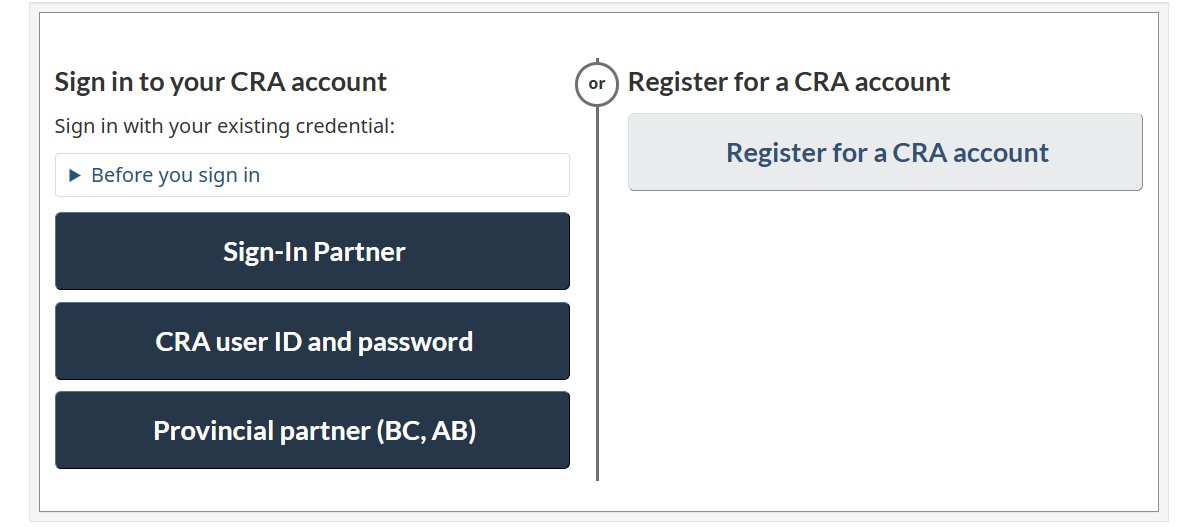
You can sign in using:
- Your Canadian bank (Sign-In Partner)
- CRA user ID and password
- Provincial digital ID (if applicable)
If you do not yet have access, you will need to register first.
Step 2 — Go to “Accounts and Payments”
Once inside your account:
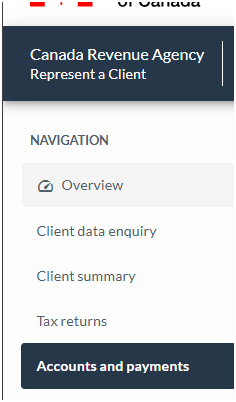
Locate the section:
“Accounts and payments”
Click on:
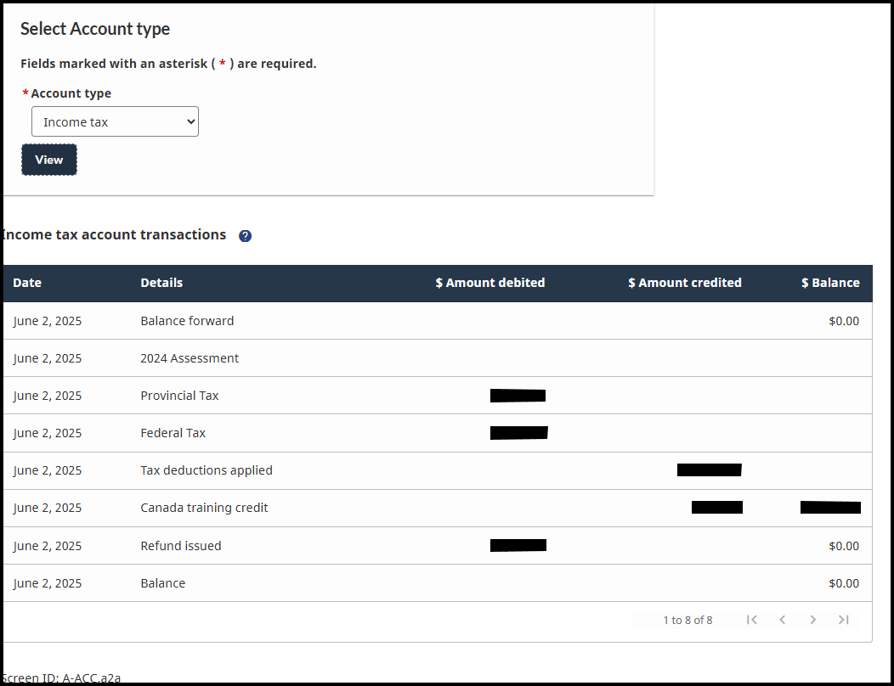
“Statement of account”
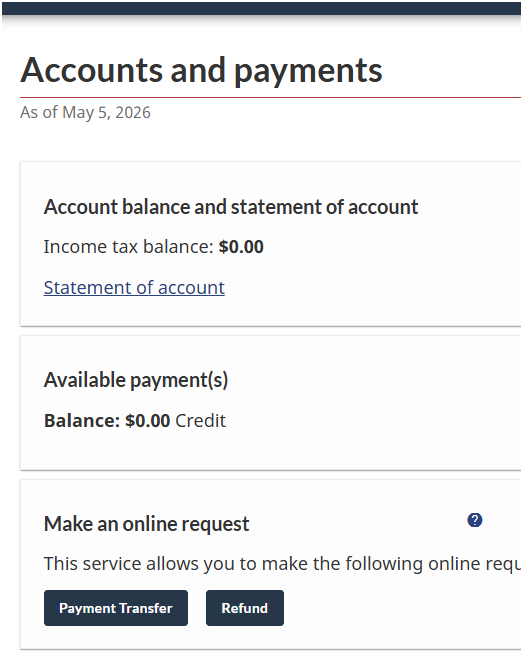
Here you will be able to see your current balance with CRA.
Step 3 — Review Your Balance
In this section you will see:
Balance Owing
This amount may include:
- Outstanding taxes
- Interest charges
- Penalties (if applicable)
If the amount appears as negative, it usually means CRA owes you a refund or you have a credit balance on your account.
Step 4 — Review Your Instalments
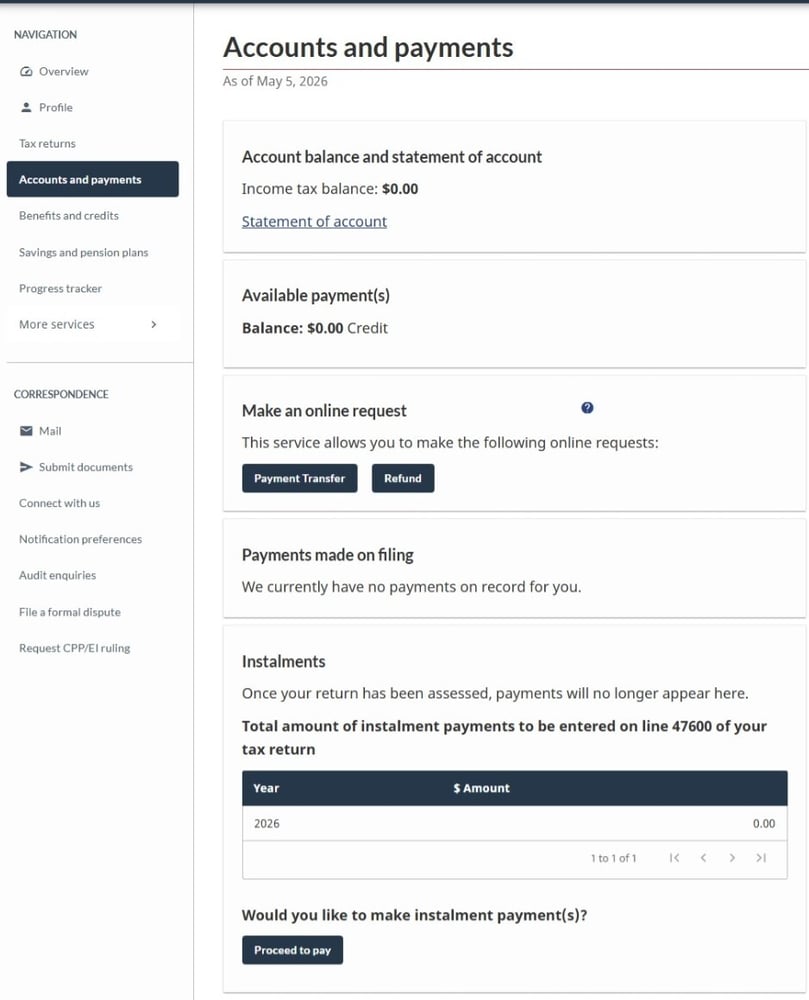
If CRA requires you to make quarterly instalment payments:
Go to:
“Instalments”
There you will be able to see:
- Required instalment amounts
- Due dates
- Payments received
- Remaining balance
This is common for:
- Self-employed individuals
- Individuals with rental income
- Investors
- People who regularly owe taxes
Step 5 — Download Your Notice of Assessment (NOA)
Your Notice of Assessment summarizes:
- Final balance
- Available RRSP contribution room
- Instalment requirements
- Refunds or taxes owing
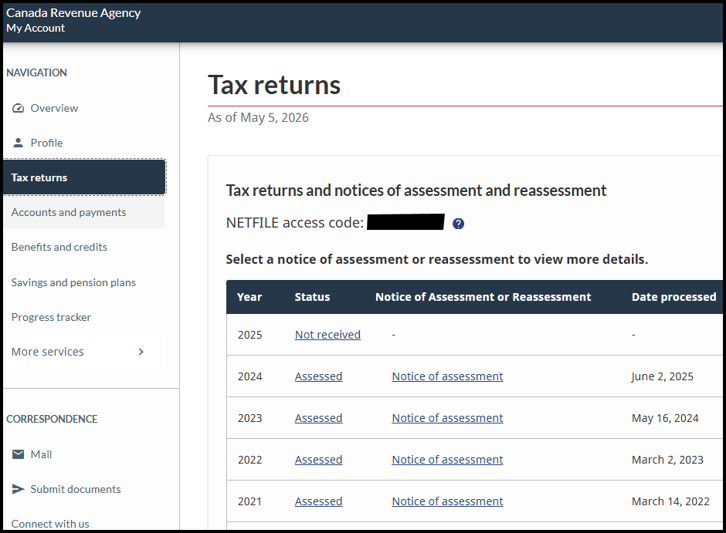
To access it:
Go to:
“Tax Returns”
Select the corresponding tax year
Click on:
“Notice of Assessment”
What If You Owe Money to CRA?
You can make payments to CRA through:
- Online banking
- CRA My Payment
- Pre-authorized debit
- Online debit card payment
- Your bank branch
In online banking, you would usually search for:
- CRA (revenue) – tax owing
or - CRA personal income tax
In most cases, you will use your SIN as the account number.
See also:
How to Make Payments to CRA
Important Notes
CRA Charges Daily Interest
CRA applies compounded daily interest on outstanding balances.
Even if you filed your tax return on time, interest may still apply if payment was made late.
Instalments Are Separate
Quarterly instalment balances may appear in a separate section from your main tax balance.
Changes Are Not Immediate
Recent payments or reassessments may take several days to update in CRA My Account.
Need Help With CRA?
At Toro Financial Inc., we help individuals and businesses with their CRA tax obligations.